What is Firecrawl?
Firecrawl is a next-generation web scraping engine that handles JavaScript rendering, anti-bot bypass, and structured data extraction out of the box. The n8n Firecrawl node (n8n-nodes-firecrawl-v2) brings all 10 Firecrawl v2 API operations into n8n, working with both Firecrawl Cloud and self-hosted instances.
This guide walks through every operation, parameter, and deployment consideration. It is written for automation engineers and integrators who want to build production scraping workflows on n8n.
Cloud vs Self-Hosted
| Firecrawl Cloud | Self-Hosted | |
|---|---|---|
| Setup | Sign up at firecrawl.dev, get API key | Deploy via Docker on your own server |
| Base URL | https://api.firecrawl.dev/v2 | http://your-server:3002/v2 |
| Best for | Quick tests, low volume | Production, sensitive data, unlimited requests |
| Cost | Usage-based pricing | Infrastructure cost only |
At THE NEXOVA, we run Firecrawl self-hosted alongside n8n on the same server. This gives us zero-latency API calls and full control over data residency. Our competitive intelligence workflows process hundreds of pages daily through this setup.
Installation
Install the Node
Settings > Community Nodes > Install > n8n-nodes-firecrawl-v2Configure Credentials
Create a new credential of type Firecrawl API:
| Field | Default | Description |
|---|---|---|
| Base URL | https://api.firecrawl.dev/v2 | Change this for self-hosted instances. Must include /v2. |
| API Key | Your Firecrawl API key |
Authentication uses Authorization: Bearer {apiKey}. On save, n8n tests the connection by scraping https://example.com.
Operations Reference
1. Scrape
The most commonly used operation. Scrape extracts content from a single URL with full JavaScript rendering support.
Endpoint: POST /scrape
| Parameter | Type | Default | Description |
|---|---|---|---|
url | String | Target URL (required) |
Scrape Options (all optional):
| Parameter | Default | Description |
|---|---|---|
formats | markdown | Output formats: markdown, html, rawHtml, links, screenshot, json, summary, images, audio, changeTracking |
onlyMainContent | true | Strip headers, navigation, and footers |
includeTags | CSS selectors to keep (e.g., article, .content) | |
excludeTags | CSS selectors to remove (e.g., nav, .sidebar) | |
waitFor | 0 | Wait for JS rendering (ms). Increase for SPA/React pages. |
timeout | 30000 | Request timeout (ms), max 300,000 |
mobile | false | Emulate mobile device viewport |
blockAds | true | Block ads and cookie consent popups |
proxy | auto | Proxy mode: auto, basic, enhanced |
locationCountry | ISO country code (e.g., VN, US) | |
locationLanguages | Locale codes (e.g., vi-VN, en-US) |
Sample output:
{
  "markdown": "# Page Title\n\nMain content extracted...",
  "metadata": {
    "title": "Page Title",
    "description": "Meta description",
    "sourceURL": "https://example.com",
    "statusCode": 200
  }
}
2. Crawl
Crawl processes an entire website by following links from a starting URL. This is an asynchronous job that can take minutes to hours depending on site size.
Endpoint: POST /crawl
| Parameter | Default | Description |
|---|---|---|
crawlUrl | Starting URL (required) | |
waitForCompletion | false | Hold execution until crawl finishes |
maxPollTime | 300 | Max wait time in seconds |
Crawl Options:
| Parameter | Default | Description |
|---|---|---|
limit | 100 | Maximum pages to crawl |
maxDiscoveryDepth | 2 | Maximum link depth |
includePaths | Regex patterns to include (e.g., /blog/*, /docs/*) | |
excludePaths | Regex patterns to exclude (e.g., /admin/*, /login) | |
sitemap | include | Sitemap handling: include, skip, or only |
crawlEntireDomain | false | Follow sibling and parent links across the domain |
allowExternalLinks | false | Follow links to external domains |
allowSubdomains | false | Crawl subdomains |
delay | 0 | Seconds between requests (forces concurrency to 1) |
formats | markdown | Output format per page |
onlyMainContent | true | Strip boilerplate from each page |
When waitForCompletion is off: the output only contains the job id. Use the Get Crawl Status operation to retrieve results later. Internal polling interval is 2 seconds.
3. Get Crawl Status / 4. Cancel Crawl
| Operation | Endpoint | Parameter |
|---|---|---|
| Get Crawl Status | GET /crawl/{id} | crawlId (job ID from Crawl) |
| Cancel Crawl | DELETE /crawl/{id} | cancelCrawlId (job ID) |
5. Map
Map discovers all URLs on a website without scraping their content. It is significantly faster than Crawl and works well as a first step before targeted scraping.
Endpoint: POST /map
| Parameter | Default | Description |
|---|---|---|
mapUrl | Starting URL (required) | |
search | Search query to rank results by relevance | |
includeSubdomains | true | Include subdomain URLs |
limit | 5000 | Max URLs to return (max: 100,000) |
ignoreQueryParameters | true | Deduplicate URLs by stripping query strings |
ignoreCache | false | Bypass sitemap cache |
6. Search
Search performs a web search and optionally scrapes each result page. This combines search discovery and content extraction in a single step.
Endpoint: POST /search
| Parameter | Default | Description |
|---|---|---|
searchQuery | Search keywords, max 500 chars (required) | |
limit | 5 | Number of results (1-100) |
country | US | ISO country code for geo-targeting |
tbs | Any Time | Time filter: past hour, day, week, month, or year |
formats | markdown | Content format for scraped results |
onlyMainContent | true | Strip boilerplate |
7. Extract
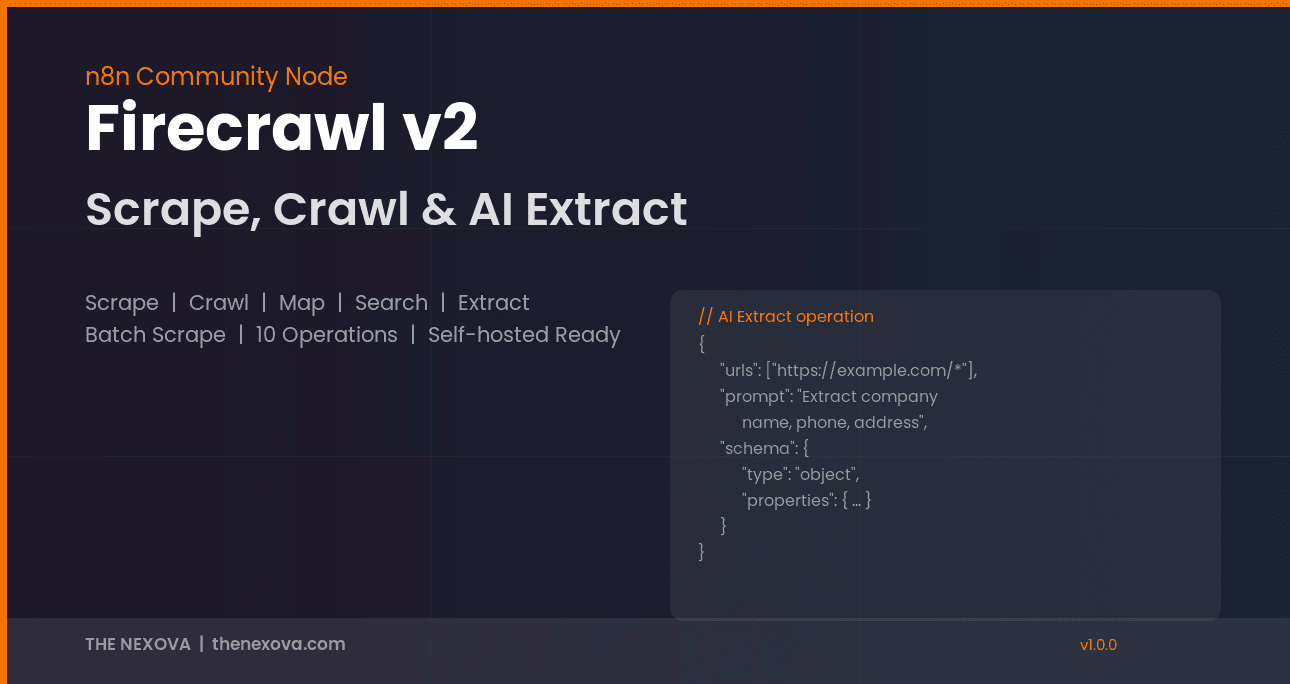
Extract is the most powerful operation. It uses AI to pull structured data from any web page using natural language prompts. You describe what you want, optionally provide a JSON Schema, and Firecrawl returns clean structured data.
Endpoint: POST /extract
| Parameter | Default | Description |
|---|---|---|
extractUrls | Comma-separated URLs (supports glob patterns like https://example.com/*) | |
extractPrompt | Natural language instruction for what to extract | |
extractSchema | Optional JSON Schema to enforce output structure | |
extractWaitForCompletion | true | Wait for results (defaults ON, unlike Crawl/Batch) |
extractMaxPollTime | 300 | Max wait time in seconds |
Extract Options:
| Parameter | Default | Description |
|---|---|---|
enableWebSearch | false | Supplement extraction with web search |
showSources | false | Include source URLs in the output |
Example prompt:
Extract company name, address, phone number, email, and industry from this page.Example schema:
{
  "type": "object",
  "properties": {
    "company_name": { "type": "string" },
    "address": { "type": "string" },
    "phone": { "type": "string" },
    "email": { "type": "string" },
    "industry": { "type": "string" }
  }
}
8. Get Extract Status
Endpoint: GET /extract/{extractId}
9. Batch Scrape
Batch Scrape processes multiple URLs asynchronously. Feed it a list of URLs from a Map operation or an external source, and it scrapes them all in parallel.
Endpoint: POST /batch/scrape
| Parameter | Default | Description |
|---|---|---|
batchUrls | Comma-separated list of URLs | |
batchWaitForCompletion | false | Wait for all URLs to finish |
batchMaxPollTime | 300 | Max wait time in seconds |
Batch Options include formats, onlyMainContent, and maxConcurrency.
10. Get Batch Scrape Status
Endpoint: GET /batch/scrape/{batchScrapeId}
Workflow Examples
Competitive Intelligence Pipeline
Schedule Trigger (every Monday, 8 AM)
  → Firecrawl: Map (https://competitor.com)
  → Firecrawl: Batch Scrape (URLs from Map, formats: markdown)
  → Code Node (diff against last week's data)
  → Google Sheets (log changes)
  → Slack (notify team of updates)
We use this exact pattern at THE NEXOVA for our competitive intelligence system that monitors 6 competitor websites weekly.
AI-Powered Lead Extraction
Manual Trigger
  → Firecrawl: Extract
      URLs: https://directory.example.com/category/*
      Prompt: "Extract company name, phone, address, and email"
      Schema: { type: object, properties: { name, phone, address, email } }
  → Google Sheets: Append extracted data
Content Change Monitoring
Schedule Trigger (daily, 7 AM)
  → Firecrawl: Scrape (formats: changeTracking)
      URL: https://competitor.com/pricing
  → IF (changes detected)
    → Email: Alert the team
Technical Notes
- Async operations (Crawl, Extract, Batch Scrape) return a job ID by default. Enable
waitForCompletionto get results directly. Internal polling interval is 2 seconds. - Extract defaults to
waitForCompletion: true, while Crawl and Batch Scrape default tofalse. This is by design since Extract jobs typically complete faster. - Format availability varies by operation. Scrape supports 10 formats (including
json,summary,audio). Crawl, Search, and Batch Scrape support 5 basic formats. - Comma-separated inputs apply to
includeTags,excludeTags,includePaths,excludePaths,extractUrls, andbatchUrls. Whitespace around commas is trimmed automatically. - Self-hosted Base URL must include
/v2(e.g.,http://firecrawl:3002/v2). A common mistake is omitting the version prefix. - Error handling: The node supports
continueOnFail. On error, the output is{ "error": "message" }instead of stopping the workflow.
Premium and Custom Solutions
The community node covers all 10 Firecrawl v2 operations. For organizations that need deeper capabilities, THE NEXOVA offers:
- Firecrawl self-hosted deployment on your own infrastructure (full data sovereignty)
- Custom scraping workflows tailored to your specific data sources
- Integration with your existing CRM, ERP, or BI systems
- Agent-based operations (in development): AI that navigates and extracts from complex multi-page flows
- Technical support and long-term maintenance
If you need a production-grade n8n Firecrawl setup or custom web scraping infrastructure, get in touch with our team.